
SoftwareSite licenseCustom-built for each hospital
IB3000Medical Image CD Import Software
Uses the hospital's existing PCs. Outside medical images can be imported quickly and easily at every desk where staff meet patients.

- 330+ copiesLicenses delivered
- 210copiesLargest single-hospital deployment (Samsung Medical Center)
- 0unitsNo extra hardware — installs on hospital PCs
- ∞Scales to any number of desks

Every hospital PC becomes
an import desk
A hospital-specific image import solution built on our image CD import program. It automatically analyzes and imports medical images (DICOM) from outside CDs, DVDs and USB drives, and keeps them organized.
Staff review and correct exam details in the list of analyzed CDs before importing, keeping patient information accurate and secure. Clients are installed straight from the server, so work can start right away.
More desks, one point of management
Custom-built for each hospital
Screens and features are designed around each hospital's workflow and users.
Instant deployment from the server
Install and update on any client PC that needs it, directly from the server.
Automatic CD image analysis
Insert a CD and it analyzes the image structure and exam details automatically.
Name mismatch check
Flags any difference between the hospital's patient record and the name on the CD before import.
Correct exam details before import
Fix exam details in the analyzed list, then import.
Site license
Per-copy licenses sized to your desks, or a site license for the whole hospital.
Insert a CD — from analysis to import
-
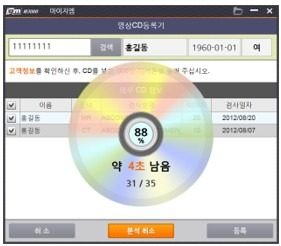
CD image analysis
Insert a CD and it analyzes images and exam details automatically.
-

Name mismatch check
Checks before import if the patient's name and the name on the CD differ.
-

CD list · Worklist
Review the analyzed CD list alongside the hospital Worklist.
-

Import
Confirm or correct exam details and import into PACS.


Specifications
Runs on the hospital's existing PCs and CD drives. We will advise on PC specifications for your environment.
- Product
- Medical image import software
- Model
- IB3000 (IB3000R)
- Deployment
- Installed on hospital PCs · clients deployed from the server
- Interfaces
- Worklist, DICOM 3.0, EMR/OCS
- Supported media
- CD · DVD · USB
- Licensing
- Per copy · site license
- OS
- Windows-based hospital PCs
Recent installations
Hospitals330+ copies
- Samsung Medical CenterBuilt in stages, from outside-image upload to back-referral image transfer210 copies
- Samsung Changwon Hospital100+ copiesSite license
- Kangbuk Samsung Hospital10 copies
- Chungnam National University Hospital10 copies
Find the right configuration for your number of desks
We design the configuration and integration around your hospital's environment.